Course Content
Section 1 -Introduuction Devops
-
1. Introduction
-
1 – What is DevOps and its benefits
04:09 -
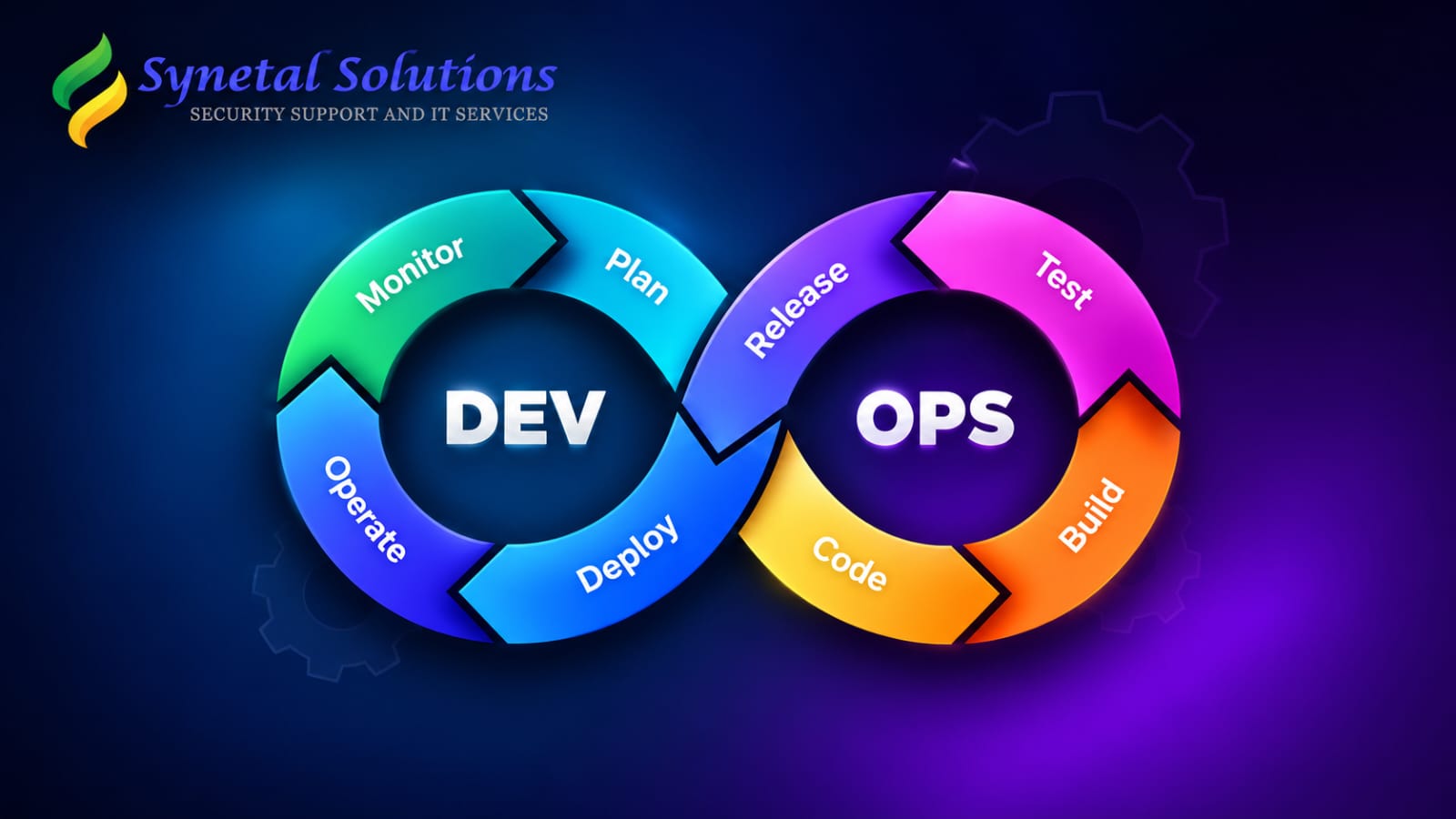
2 – Overview of DevOps Lifecycle
03:05 -
3 – Continuous Development
02:56 -
4 – Continuous Integration
05:35 -
5 – Continuous Deployment Delivery
04:25 -
6 – Continuous Testing
04:08 -
7 – Continuous Monitoring
01:31 -
8 – Continuous Monitoring
01:31 -
9 – Continuous Feedback
00:00
Section 2: Amazon EC2 – Elastic Compute Cloud
-
10 – Create AWS Account
04:19 -
11 – Launch an Instance – Amazon Linux
04:59 -
12 – Connect to EC2 Instance – MobaXterm
04:38 -
13 – Connect to EC2 Instance – Putty
04:26 -
14 – Launch an Instance – Ubuntu
06:07 -
15 – About private and public keys
04:12 -
16 – Setting up passwordless authentication
10:50 -
17 – Practice Lab – Real Time Examples
09:42 -
18. Practice Lab – Real Time
03:27 -
19 – Practice Lab – Real Time Examples
14:40
Section 3: Understanding Linux File System and Essential Commands
-
21 – Linux Filesystem Structure 1
07:58 -
22 – Linux Filesystem Structure 2
00:00 -
23 – Practice – Basic Linux Commands
08:32 -
24 – Practice – Basic Linux Commands
06:02
Section 4: Managing Users and Groups in Linux
-
25 – Overview of User Administration
04:52 -
26 – Lab – Manage User Account
07:01 -
27 – Lab – User and Group Creation
04:04 -
28 – Lab – Primary and Supplementary Group
03:10 -
29 – Lab – Usermod Command
04:49 -
30 – Lab – Shadow file
06:09
Section 5: Introduction to Git and Version Control
-
31 – Git Introduction
04:53 -
32 – Create a GitHub Account
06:03 -
33 – Commonly Used commands in Git
00:00 -
34 – Git Configuration and Stages in Git
03:51 -
35 – Git pull and push command
01:26 -
36 – Git push from Local to Remote
03:49 -
37 – Stages in Git – Add & Commit
03:04 -
38 – Git log – Commit ID, HEAD
04:45
Section 6 : Branch Management in GIT
-
39 – Introducing Branches
07:59 -
41 – Push branch from Local to Remote
04:41 -
42 – Feature branches
09:03 -
43 – Pull Request – To merge one branch into another
07:55 -
44 – Release Branch
04:29 -
45 – Hotfix Branch
02:16 -
46 – Lab – Release & Hotfix Branch
08:15 -
46 – Lab – Release & Hotfix Branch
08:15 -
47 – Add a reviewer to a pull request with branch protection rules
08:49 -
48 – PR – Comment, Approve & Request changes
07:03
Section 7: Conflict Resolutions
-
49 – Conflicts in git merge
04:03 -
50 – Create a merge conflicts & resolve it
06:43 -
51 – Use TortoiseGit S W to resolve conflicts
03:42 -
52 – Resolve conflicts from GitHub using web editor using PR
07:16
Section 8: Real-World Project Scenarios and Use Cases
-
53 – Use git clean to remove untracked files
02:15 -
54 – Undo Changes in Modified Files
03:23 -
55 – How to Use git revert
04:45 -
55 – How to Use git revert
04:45 -
56 – How to Use git reset
06:20 -
57 – Git Fetch Explained
05:57 -
58 – Git Pull Explained
02:20 -
59 – Git Fetch vs Git Merge Key Differences
05:37
Section 9: GitHub Deep Dive: Cherry-Pick, Tags, Rebase & Merge
-
60 – What is Cherry-pick in git
07:13 -
61 – Lab on Cherry-pick with conflicts in merging
08:07 -
62 – Git tags
07:25 -
63 – Delete tags from local & remote
02:31 -
64 – Git rebase command
09:54 -
65 – Difference between git rebase & merge
09:23
Section 10: Building Spring Boot Projects with Apache Maven
-
66 – Introduction Maven Tool
04:08 -
67 – Maven Lifecycle
05:15 -
68 – Repositories in Maven
03:05 -
69 – Lab 1 – Maven Server Installation
08:38 -
70 – Lab 2 – Check out the source code from GitHub to the Maven server
02:12 -
71 – Lab 3 – Validate and package the source code into a JAR file
03:40 -
72 – Lab 4 – Exploring the pom.xml file
04:51 -
73 – Lab 5 – Exploring the pom.xml file
01:36 -
74 – Lab 6 – Access the Spring Boot application through a web URL
04:12 -
75 – Lab 7 – List of dependencies for a Build Package
01:59 -
76 – Lab 8 – List of dependencies for a Build Package
02:23 -
77 – Lab 9 – Build the source code for the SpringBoot web application
02:46
Section 11: SonarQube: Code Quality Analysis for Cleaner Code
-
78 – SonarQube Tool and Its Features
03:29 -
79 – SonarQube Installation 1
07:59 -
80 – SonarQube Installation 2
03:48 -
81 – Start SonarQube Service
01:07 -
82 – Access SonarQube through the web URL
01:38 -
83 – Create a Maven Server
05:51 -
84 – Checkout the Project
01:44 -
85 – Use the Maven tool to build the package
04:18 -
86 – Check the code quality using SonarQube
03:37 -
87 – Sonar analysis of a vulnerable project
05:56
Section 12: Deploying Maven Artifacts to Nexus Repository
-
88 – Configure Nexus Server
08:59 -
89 – Configure Sonatype Nexus Repository Manager
02:04 -
90 – Build Springboot Maven Project
-
91 – Requirements for Nexus in the pom.xml file
05:46 -
92 – Nexus login credentials
03:58 -
93 – Upload the artifacts to the Nexus repository
02:31
Section 13: Jenkins for DevOps Automation
-
94 – Introduction Jenkins
04:20 -
96 – Installation of Jenkins – 2
07:08 -
97 – Installation of Jenkins – 3
02:39 -
98 – Installation of Jenkins – 4
01:10 -
99 – Create your first job in Jenkins
03:19 -
100 – The default user and workspace location
03:20 -
101 – The status, weather, and stability of a job
04:39 -
102 – Search Panel in Jenkins Dashboard
01:46 -
103 – Manage Jenkins – System Configuration
03:43 -
104 – Manage Plugins – Install simple theme plugin
03:57 -
105 – Manage Plugins – Uninstall simple theme plugin
00:51
Section 14: Jenkins GitHub Integration
-
106 – Clone the git project using Shell
05:53 -
107 – Delete workspace before build starts
03:03 -
108 – Use SCM to clone git repository
03:24
Section 15: Build Pipeline – Continuous Delivery vs Continuous deployment
-
109 – Create Jenkins Pipeline Using Build Pipeline
05:50 -
110 – Continuous Delivery vs Continuous deployment
08:52 -
111 – Parallel Jobs in Jenkins Build Pipeline
03:07
Section 16: Project: Deploying a WAR File to Tomcat Using Jenkins CI/CD
-
112 – Overview of CICD Project
03:19 -
113 – Clone the code
05:29 -
114 – Maven Integration Jenkins plugin
05:13 -
115 – Build the Package using Maven
04:04 -
116 – Install and configure Tomcat9 Server
14:01 -
117 – Configure a Pipeline using Build Pipeline
03:50 -
118 – Finally deploy the Package file (.war) to Tomcat Server
05:32
Section 17: Jenkins Pipeline – Declarative Pipeline
-
119 – Create the first Pipeline
06:15 -
120 – Multiple stages in pipeline script
04:19 -
121 – Execute commands using a pipeline script
04:24 -
122 – Variable Environment in pipeline script
03:54 -
123 – Define stage level variable using pipeline script
02:21 -
124 – Build parameters in pipeline script
04:56 -
125 – Boolean & choice parameters in pipeline script
04:20 -
126 – Input from user in pipeline script
03:54 -
127 – Post actions in pipeline script
06:15
Section 18: Configuration Management Using Ansible
-
128 – Introduction Ansible
04:49 -
129 – What is Ansible
03:04 -
130 – Ansible limitations
01:37 -
131 – Ansible Architecture
04:37 -
132 – Ansible Setup – 1
05:35 -
133 – Ansible Setup – 2
07:36 -
134 – Ansible Setup – 3
09:34 -
135 – Ansible Setup – 4
03:13 -
136 – AD Hoc Commands in Ansible
09:05
Section 19: Implementing Playbooks in Ansible
-
137 – Implementing Playbooks
05:59 -
138 – Multiple tasks in Ansible Playbook
13:22 -
139 – Lab – Multi task Playbook – 1
07:05 -
140 – Lab – Multi task Playbook – 2
04:55
Section 20: Managing Variables in Ansible
-
141 – Managing Variables in Ansible
05:18 -
142 – Lab – Variables in Ansible
07:15
Section 21: Implementing Tasks Control in Ansible
-
143 – Conditionals in Ansible
04:04 -
144 – Lab on Conditionals in Ansible
08:38 -
145 – Ansible loops – when, when_items etc
08:20 -
146 – Examples of Ansible Loops
02:58 -
147 – Ansible Handlers
02:24 -
148 – Lab on Ansible Handlers
02:32
Section 22: Docker Containerization: Fundamentals and Practice
-
149 – Introduction Containers
08:21 -
150 – Introduction Docker
03:44 -
151 – Docker Terminologies
03:02 -
152 – Installation of Docker
05:17 -
153 – Create first container
06:50 -
154 – Fetch the container image from Docker Hub
05:24 -
155 – Run a container in the background
04:37 -
156 – Delete containers
02:05 -
157 – Get complete details of a running container
02:21 -
158 – Check logs and stats of a running container
04:11 -
159 – Port forwarding
04:51 -
160 – Exec, rename & restart the running container
03:33 -
161 – Attach command in Container
03:50 -
162 – Kill stop, pause unpause a container
06:02 -
163 – Create, start, cp command
06:47 -
164 – Export Import Command in Docker
06:11 -
165 – Create a image from running container
04:05 -
166 – Pull a specific version image from Docker hub
06:30 -
167 – Push your image to docker hub
03:04 -
168 – Image history, inspect & remove image
06:04
Section 23: Dockerfile
-
169 – Overview of Dockerfile, layered architecture
09:18 -
170 – Create a centos 7 image using Dockerfile
07:44 -
171 – Overview of LABEL, ENV & RUN Command
06:17 -
172 – Overview of WORKDIR
06:05 -
173 – Copy, add command with their differences
07:54 -
174 – Create a user account with password using dockerfile
04:16 -
175 – CMD Command
03:24 -
176 – SSH to a container
07:43 -
177 – Overview of EXPOSE Command
05:12 -
178 – ENTRYPOINT in Dockerfile
04:28
Section 24: Real Time CI/CD DevOps Project | End To End CI/CD Pipeline Project
-
179 – An Overview of the CI CD Process
06:45 -
180 – Set up a Continuous Integration (CI) server
05:00 -
181 – Set up a SonarQube Server
04:40 -
182 – Integrate Maven project with SonarQube – SonarScan
05:45 -
183 – Check SonarQube Service
06:03 -
184 – Check the Code Quality
01:29 -
185 – Dockerfile for Creating a Docker Image
06:00 -
186 – Create a Repository in AWS ECR
05:13 -
187 – Create a role that grants access to one service to
05:13 -
188 – Build and push the Docker image to the AWS ECR repository
02:58 -
189 – Set up a Continuous Deployment (CD) Server
09:32 -
190 – Build and push the Docker image to the AWS ECR rep
02:27 -
191 – Recap
05:31
Section 25: Real-Time CI/CD DevOps Project: End-to-End CI/CD Pipeline using…
-
192 – Install a Jenkins Server (CI Server)
07:55 -
193 – Configure Jenkins
04:07 -
194 – Create a Jenkins pipeline to checkout and build the project
10:51 -
195 – Install SonarQube Server using Docker contai
06:03 -
196 – Install plugins and add Sonar login credentials
03:47 -
197 – Configure SonarQube on Jenkins Server
03:12 -
198 – Pipeline for SonarQube Scanner for Jenkins
06:19 -
199 – Create a pipeline for success or abort
03:24 -
200 – Configure a webhook
03:31 -
201 – Pipeline that uses a Dockerfile to build a Docker image
07:45 -
202 – Add Plugins – CloudBees AWS ECR Docker
05:23 -
204 – Configure SES to send Email Notification
03:54 -
203 – Pipeline to Push the Docker Image to AWS ECR
09:19 -
205 – Integrate SES with Jenkins using pipeline
02:44 -
206 – Pipeline – Receive an Email Notification after the success or failure
03:04
Section 26: Kubernetes
-
207. Introduction to Kubernetes
04:18 -
208. Monolithic approach for developing applications
04:03 -
209. Microservices Vs. Monolithic
01:56 -
210. Kubernetes Gateway API
05:01 -
211. Evolution of Containers, Docker, and Virtual
-
212. Running microservices as containers
04:17 -
213. Kubernetes – Orchestration/Container
02:35 -
214. Features of Kubernetes
02:07
Section 27: Set up a Kubernetes Cluster in an AWS Environment
-
215. Lab 1
07:26 -
216. Lab 2
07:43 -
217. Lab 3
05:47 -
218. Lab 4
04:19 -
219. Lab 5
01:14 -
220. Lab 6
03:11
Section 28: Kubernetes Concepts – Cluster types, Minikube Server, YAML, Pod, Kubele
-
221 – Types of Kubernetes Cluster
02:23 -
222 – Installation of Minikube Server
10:24 -
223 – Create the first Pod Using YAML
07:02 -
224 – Pods with YAML
02:59 -
225 – Pod details, and logs of a running container
03:39 -
226 – Create a pod that contains multiple containers
03:45 -
227 – Kubernetes annotations
03:15 -
228 – Explore running container
04:38 -
229 – Environment variables
03:56 -
230 – Set up ports for the containers
02:37
Section 29: Labels and Selectors
-
231 – Introduction of Labels and Selectors
05:31 -
232 – Practice Lab – Labels & Selectors
04:22 -
233 – Declarative vs. Imperative way to define labels
03:24 -
234 – Lab – Search the pod with equality, set-based
05:01 -
235 – Node Selectors
02:02 -
236 – Practice Lab – Create a pod to on specify node
06:15
Section 30: Scaling and Replication in Kubernetes
-
237 – Replication Controller – RC
04:50 -
238 – Practice Lab – Create Replicas of POD using RC
06:38 -
239 – Scale-up & scale-down the pod as load increases
04:58 -
240 – Replica set – RS
02:56 -
241 – Lab – Create Replicas of POD using ReplicaSet
04:45
Section 31: Deployment and Rollback in Kubernetes
-
242 – Overview of Deployment and Rollback
07:26 -
243 – Lab Launch an application with two PODs
06:29 -
244 – Lab upgrade the application from version 1 to v2
05:15 -
245 – Lab Roll back the application to the previous version
02:30 -
246 – Lab Roll back the application to any specific version
02:45
Section 32: Real-time project: Deploy an Appl to a Kubernetes cluster using Jenkins
-
247 – Overview of the project
07:04 -
248 – Lab 1
07:39 -
249 – Lab 2
01:34 -
250 – Lab 3
05:10 -
251 – Lab 4
06:09 -
252 – Lab 5
08:45 -
253 – Lab 6
04:39 -
254 – Lab 7
05:25 -
255 – Lab 8
07:53 -
256 – Lab 9
06:56 -
257 – Lab 10
05:28 -
258 – Lab 11
02:11 -
259 – Lab 12
08:15 -
260 – Lab 13
03:54 -
261 – Lab 14
03:47 -
262 – Lab 15
02:24 -
263 – Lab 16
05:07 -
264 – Lab 17
04:04 -
265 – Lab 18
08:56 -
266 – Lab 19
06:53 -
267 – Lab 20
02:25 -
268 – Lab 21
06:05
Student Ratings & Reviews

No Review Yet